
The Form 1098-T is known as the “Tuition Statement” and can be used to help taxpayers determine their eligibility for federal education tax credits or deductions. The form is required to be issued to eligible students by January 31st each year for the prior tax year (or the next business day if January 31st falls on a weekend). The Citadel will make the Form 1098-T available online and/or mail the form to the student’s home address by the required deadline. If a student has consented to receive the form electronically only, The Citadel will not mail a form to the student.
HOW TO ACCESS YOUR FORM 1098-T ONLINE:
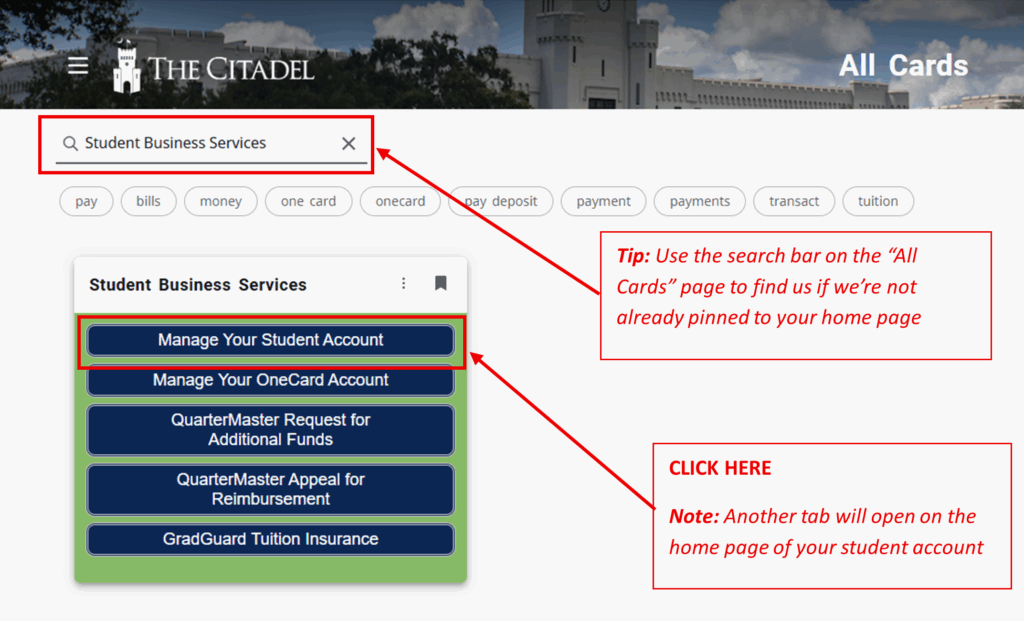
Go to my.citadel.edu and search for the “Student Business Services” card. Click on “Manage Your Student Account”.
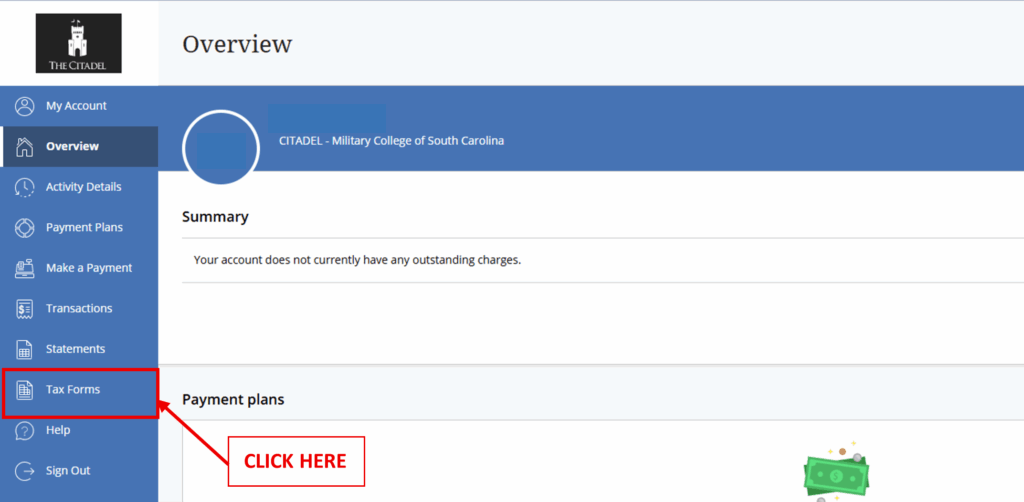
On the home page of your student account, navigate to the menu bar on the lefthand side and click on “Tax Forms”.
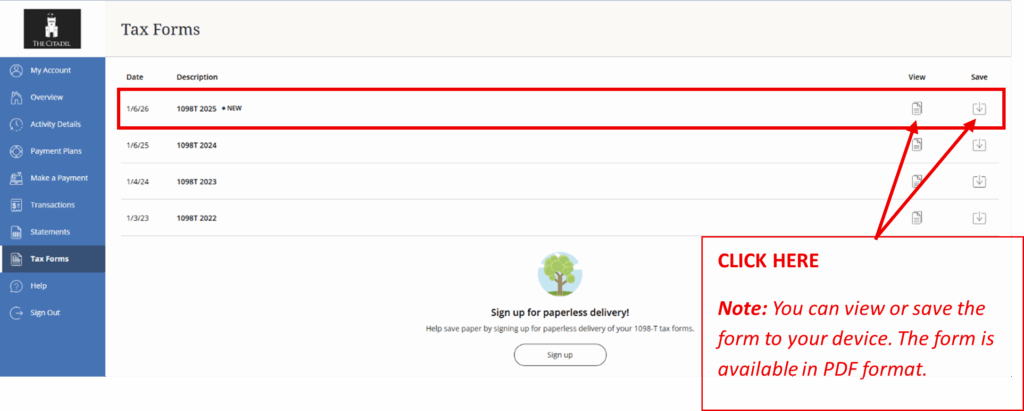
On the “Tax Forms” page, you will see any 1098-T forms that have been issued to you during your time here at The Citadel (from 2022 onwards). The most recent form issued will be on top. To view the form, click “View”. To save the form to your device, click “Save”.
DOWNLOAD A REPLACEMENT FORM 1098-T FOR CALENDAR YEARS 2015-2021
- Go to the Heartland ECSI website (https://heartland.ecsi.net)
- Click on the link “To access your 1098-T form, click here.”
- Next search for “The Citadel” and press submit
- Type in your student’s First and Last Name, Social Security Number and Home Zip code, press continue
- The next page will populate your 1098-T, click on the + sign to view